

Multi-Device Wearable Data Consolidation: Creating Your Single Source of Truth Strategy
Pick one 'primary' device per health domain, use aggregator apps for the big picture, and stop chasing perfect accuracy—consistency beats precision.
This article is for general informational purposes only and is not a substitute for professional medical advice, diagnosis, or treatment. Always consult a qualified healthcare provider with questions about a medical condition.
Your Wrist Looks Like a Tech Store Display Case
Picture a nightstand with seven devices: a smart ring, a smartwatch, a recovery strap, a running watch, a continuous glucose monitor, a sleep headband, and a clip-on HRV sensor. Check your resting heart rate on each and you might see anything from 52 to 61 BPM. Super helpful.
If that sounds familiar, you're not alone. Plenty of people now wear more than one device. The problem isn't data scarcity anymore. It's data chaos.
Why Your Devices Can't Agree (And Why That's Actually Normal)
Here's something that took me way too long to accept: your devices aren't broken. They're just measuring different things in different ways.
Optical heart rate sensors on your wrist sample blood flow through skin. Chest straps detect electrical signals. The Oura ring reads from your finger, where blood vessels are closer to the surface. Each method has different strengths. Wrist-based sensors struggle during high-intensity movement. Chest straps excel there but can't track you 24/7.
Validation studies show how big these differences can be. In a Stanford study of seven wrist-worn devices, six achieved a median heart rate error below 5% during cycling, but none estimated calories burned with an error below 20%. A systematic review of 158 studies reached a similar conclusion: steps and heart rate are often reasonably accurate in the lab, while no brand measured energy expenditure accurately. Sleep stages are shakier still—when seven consumer sleep trackers were compared with lab polysomnography, they detected sleep well but their sleep stage estimates were inconsistent.
These aren't necessarily errors in the sense of broken hardware. They're different sensors and algorithms producing legitimately different numbers—so expecting perfect agreement across devices isn't realistic.
The Primary Device Framework
Stop trying to average your data or find the "most accurate" device for everything. Instead, assign primary ownership.
Think of it like this. You might have multiple doctors, but you have one primary care physician who holds your complete record. Same principle here.
For each health domain, pick one device as your source of truth:
Sleep: Choose the device that captures your full night consistently. For most people, this means a ring or dedicated sleep tracker rather than a watch you charge overnight. I use Oura for sleep because it stays on my finger without me thinking about it.
Daily activity: Your always-on device wins here. Whatever you actually wear from morning to night. Mine's the Apple Watch because I'm already checking messages on it anyway.
Workout performance: Sport-specific accuracy matters more than all-day wear. Garmin or Polar for running. Whoop for recovery metrics if you're training seriously.
Heart rate variability: Pick whatever you'll measure at the same time every day. Consistency of timing matters more than sensor quality.
The logic is simple: one consistent source per domain makes trends easier to read and removes the daily "which number is right?" debate.
Building Your Aggregation Stack
Once you've assigned primaries, you need somewhere for everything to flow together. This is where aggregator platforms earn their keep.
Apple Health on iPhone and Health Connect on Android work as decent starting points. They pull data from most major devices and show you a unified timeline, and they let you set which source takes priority. But they're mainly collectors, not intelligent synthesizers.
Some third-party platforms aim to go further for multi-device users, combining sources and showing trends rather than contradictory snapshots. Before connecting one, check what it actually does with conflicting data and read its privacy policy—health data is sensitive.
My current setup: Oura syncs sleep data to Apple Health, but I've set Apple Health to prioritize Oura for sleep metrics over my Apple Watch. For workouts, Garmin takes priority. For resting heart rate, I let Apple Watch win because it has more data points throughout the day.
This takes about 15 minutes to configure. Once.
The Conflict Resolution Protocol
Sometimes your devices will disagree dramatically, and you'll need to make a call. Here's the decision tree I use:
Check the measurement conditions first. Was one device loose? Were you moving during what should have been a resting measurement? Did you wear one device on your dominant wrist during a workout? Physical factors explain most outliers.
Look at the trend, not the number. If your Whoop says your HRV dropped 15% and your Oura says it dropped 12%, the story is the same: something's off. The exact percentage matters less than the direction.
When trends disagree, trust the specialist. If your running watch says your VO2 max improved but your general fitness tracker says it declined, the running watch probably has better workout data to work from.
For health decisions, use the most conservative reading. If one device says you're recovered and ready to train hard, but another suggests you need rest, rest. The downside of unnecessary rest is minimal. The downside of overtraining is significant.
What Actually Matters: The Minimum Viable Metrics
Here's an uncomfortable truth: most people track far more metrics than they ever act on.
Cut the noise. Focus on metrics that actually change your decisions:
Sleep duration and consistency. Not sleep stages—those are notoriously unreliable across devices. Just: did you get enough, and are you going to bed at roughly the same time?
Resting heart rate trend. Not daily fluctuations. The 7-day or 30-day moving average. Is it going up, down, or staying stable?
Activity minutes in your target zone. Whether that's steps, active calories, or minutes above a certain heart rate threshold. Pick one and ignore the others.
Recovery readiness. However your primary device calculates it. Whoop's recovery score, Oura's readiness, Garmin's body battery. They're all approximations, but they're useful approximations if you track the same one consistently.
That's it. Four metrics. Everything else is noise unless you're a competitive athlete or managing a specific health condition.
The 90-Day Single Source Experiment
If you're drowning in data, try this: pick one device and use only that device for 90 days. Put the others in a drawer.
Some people find a stripped-down experiment helpful: one device, nothing else.
The first couple of weeks can feel like withdrawal. You may keep reaching for data you no longer have and worry you're missing something important.
Over time, many people find they pay more attention to how they actually feel, and that decisions about sleep and training get quicker when there's only one number to consider.
More data isn't always better data.
When Multiple Devices Actually Make Sense
I'm not saying sell everything on eBay. There are legitimate reasons to maintain a multi-device setup:
Different contexts require different tools. A slim ring for sleep, a rugged watch for trail running, a chest strap for cycling. Using the right tool for each context beats forcing one device to do everything poorly.
Redundancy for critical tracking. If you're monitoring something health-critical—cardiac recovery, blood glucose patterns, seizure detection—having backup data sources is smart risk management.
Curiosity and experimentation. Sometimes you want to compare devices or try new technology. That's fine. Just don't let experimentation become your permanent state.
The key is intentionality. Multiple devices with clear roles is a system. Multiple devices tracking the same things is chaos.
Setting Up Your Personal Data Constitution
Before you reorganize your tech drawer, write down your rules. Literally. A document that specifies:
- Which device is primary for each health domain
- Where your aggregated data lives
- Which 3-4 metrics you'll actually act on
- How you'll resolve conflicts when they arise
- When you'll review and potentially change this system (quarterly works for most people)
This sounds bureaucratic. It is. That's the point. Bureaucracy replaces daily decision-making with pre-made choices. You decide once, then follow the protocol.
Mine fits on an index card. Oura for sleep. Apple Watch for daily activity. Garmin for workouts. Apple Health as aggregator. Check trends weekly on Sunday morning. Review the whole system every January.
Simple. Consistent. Actually useful.
The Real Goal Isn't Perfect Data
Somewhere along the way, health tracking became about the tracking instead of the health. We optimized for data completeness rather than behavioral impact.
A useful rule of thumb: the value of wearable data lies less in its precision than in its ability to prompt helpful changes. A consistently tracked, imperfect metric is often more useful than a precise one tracked only now and then.
Your devices are tools. They should make decisions easier, not harder. If your multi-device setup creates more confusion than clarity, the system is failing regardless of how accurate each individual device might be.
Consolidate. Simplify. Pick your sources of truth and trust them. Then stop staring at screens and go live the healthy life you're supposedly tracking.
📊 Key Stats
Primary Device Assignment by Health Domain
| Health Domain | Best Device Type | Why It Wins | Common Alternatives |
|---|---|---|---|
| Sleep Quality | Smart ring (Oura, Ultrahuman) | 24/7 wear without charging overnight, finger-based sensors | Sleep headband, under-mattress sensor |
| Daily Activity | Smartwatch (Apple, Samsung) | Always visible, integrated notifications encourage wear | Fitness band, phone-based tracking |
| Workout Performance | Sport watch (Garmin, Polar, COROS) | GPS accuracy, sport-specific metrics, durability | Chest strap + phone app |
| HRV & Recovery | Dedicated recovery tracker (Whoop) | Designed specifically for strain/recovery balance | Ring with HRV, chest strap morning reading |
| Heart Health | Medical-grade monitor | Clinical validation, longer recording periods | ECG-capable smartwatch for screening |
Assign one primary device per domain rather than expecting any single device to excel everywhere
❓ Frequently Asked Questions
Should I average data from multiple devices for better accuracy?
My sleep tracker and smartwatch show completely different sleep scores. Which one is right?
How do I set up Apple Health or Health Connect to prioritize certain devices?
Is it worth paying for a third-party aggregator app?
What if I need multiple devices for different sports?
How often should I review my device setup?
My devices disagree about whether I'm recovered enough to train hard today. What should I do?
What is HAVIT?
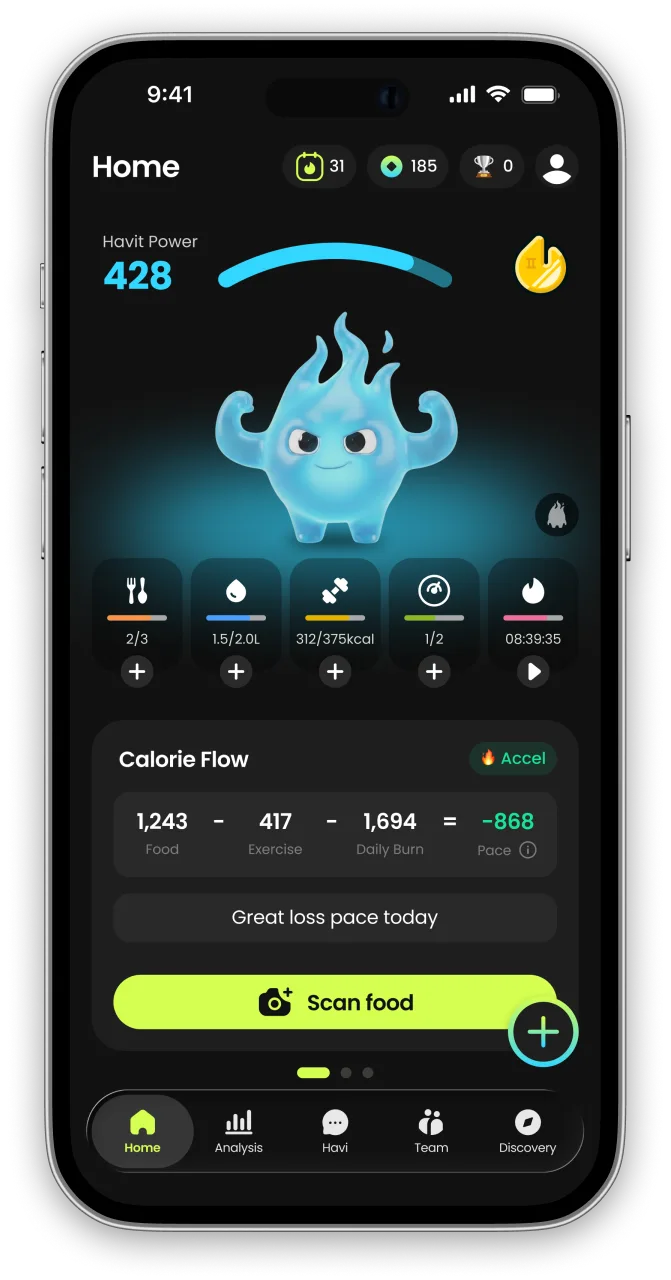
HAVIT is an AI health partner built on metabolic science — it protects your muscle, wakes up your metabolism, and helps you keep a healthy, rebound-free body for the long run.
Unlike calorie-only trackers, HAVIT connects AI body-composition estimates, nutrition, hydration, sleep, steps, cycle, mood, and GLP-1 medication in one daily routine — so progress is measured by body composition, not just the number on the scale. Daily missions turn established behavior-change techniques into small repeatable actions, drawing on expertise from professionals formerly at Juvis Diet, one of Korea’s leading metabolic clinics.
In HAVIT’s own analysis of 1,090 GLP-1 users, people who logged consistently built stronger habits than the general user base. Read the GLP-1 Habit Report
Inside the app
- AI COACHA coach that reads your day.
- NUTRITIONLog meals in seconds.
- BODY INSIGHTSSee more than weight.
- DAILY MISSIONSBuild habits you can repeat.
- DAILY CHECK-INTell HAVI how today feels.
- TRACK EVERYTHINGFrom water to GLP-1
- MIND & RECOVERYFor the days willpower runs out.


HAVIT works with or without GLP-1 medication. It is a wellness app, not a medical device; body-composition results are estimates.

Continue in the App
Personalized wellness with your own data


References
- Reliability and Validity of Commercially Available Wearable Devices for Measuring Steps, Energy Expenditure, and Heart Rate: Systematic Review — JMIR mHealth and uHealth, 2020
- Accuracy in Wrist-Worn, Sensor-Based Measurements of Heart Rate and Energy Expenditure in a Diverse Cohort — Journal of Personalized Medicine, 2017
- Variable Accuracy of Wearable Heart Rate Monitors during Aerobic Exercise — Medicine & Science in Sports & Exercise, 2017
- Performance of seven consumer sleep-tracking devices compared with polysomnography — Sleep, 2021


