

Do Social Media Time Limits Actually Work? Comparing App Timers, Deletion, and Grayscale Mode
In experiments, grayscale mode cut screen time quickly (by about 20 minutes a day in one study), and a pause-before-opening app reduced actual app openings by 57% over six weeks. Self-set limits also reduce use, while quitting entirely shows mixed effects on well-being.
This article is for general informational purposes only and is not a substitute for professional medical advice, diagnosis, or treatment. Always consult a qualified healthcare provider with questions about a medical condition.
The Override Problem
Here's a familiar scene: your screen time limit pops up—"You've reached your limit"—and your thumb hits "Ignore for 15 minutes" before your brain even registers what happened. Muscle memory wins.
This isn't simply a willpower failure. Economists running a large randomized experiment estimated that self-control problems account for about 31% of social media use—and found that when people could set limits on their future screen time, their use dropped substantially. So limits can work. The question is how to make them stick.
So if timers don't work, what does? Researchers have been testing three main approaches: app-based time limits, full app removal, and visual friction methods like grayscale mode. The results are genuinely surprising.
Why Your Brain Treats the Override Button Like a Snooze Alarm
The psychology here matters. When you set a 30-minute Instagram limit, you're essentially asking your future self to make a decision at the exact moment when dopamine is flowing and willpower is depleted. That's like asking someone to stop eating chips while they're already chewing.
In a 2023 randomized field experiment with 112 participants, self-set time limits did reduce screen time—but the reduction was smaller and more gradual than with a simple design change: grayscale mode.
The Grayscale Experiment That Changed Everything
Grayscale takes a different approach. Instead of limiting time, it removes color. You switch your phone to grayscale mode—that black-and-white display setting buried in your accessibility options.
In that 2023 field experiment, grayscale led to an immediate, significant drop in objectively measured screen time compared with a control group. In another study of 84 people, one week of grayscale cut daily screen time by about 20 minutes and reduced perceived overuse, online vigilance, and stress—though the number of phone unlocks didn't change, a sign of deep-rooted checking habits.
Why might removing color help? One likely explanation is salience. Bright colors and red notification badges are designed to grab attention, and colorful feeds make scrolling more rewarding. Take the color away and the pull weakens.
Grayscale doesn't block anything. You can still scroll forever. But the experience becomes a little more boring—and that small change seems to be enough to shorten many sessions.
Full Deletion: The Nuclear Option That Sometimes Backfires
Deleting apps entirely seems like the obvious solution. No app, no problem. But the research tells a more complicated story.
Deleting or deactivating apps does cut use. In a large randomized experiment, people paid to deactivate Facebook for four weeks spent more time on offline activities, reported slightly higher subjective well-being, and used Facebook less even after the experiment ended.
But the well-being picture is mixed. A 2025 meta-analysis of ten studies with 4,674 participants found no significant effects of social media abstinence on positive mood, negative mood, or life satisfaction. And quitting one platform can simply shift the habit to another app or to the browser.
Moderate limits have evidence behind them, too. In a University of Pennsylvania experiment, limiting Facebook, Instagram, and Snapchat to 10 minutes per platform per day for three weeks reduced loneliness and depression compared with usual use.
The Friction Stack: Combining Methods for Actual Results
Rather than relying on a single intervention, it may help to layer several small ones.
No study has tested the exact combination of methods below, but research on individual "friction" tools is encouraging. The best-studied example is a pause before an app opens.
In a six-week field experiment with 280 users of the self-nudge app one sec (co-authored by the app's creator), a short pop-up with a waiting time appeared whenever people tried to open apps they had chosen. They closed the app 36% of the time, and their attempts to open those apps fell by 37%. Overall, actual app openings dropped 57%. A follow-up experiment found the option to dismiss the app was the most effective feature, with the time delay also helping.
That's why a delay deserves special attention. Some apps and iPhone Shortcuts automations can add a brief waiting period before an app opens. A few seconds doesn't sound like much, but it gives you a moment to decide whether you really want to open it.
What Actually Happens to Your Time (And Your Brain)
Let's talk about what you gain. In the Facebook deactivation experiment, people spent the freed-up time on offline activities, including socializing with friends and family.
Sleep may benefit if you tend to scroll in bed, though the grayscale study of 84 people found no change in sleep quality after one week.
Effects on mental health are mixed. The Pennsylvania study found less loneliness and depression with limited use, while the field experiment comparing grayscale and time limits found no immediate effect on well-being, and the abstinence meta-analysis found no significant effects. Reducing use may help most when it's sustained and the time goes to things you value.
Building Your Own Intervention Protocol
Here's a practical framework based on what the research actually supports.
Week one: Enable grayscale mode. On iPhone, go to Settings > Accessibility > Display & Text Size > Color Filters > Grayscale. On Android, it's usually under Digital Wellbeing or Accessibility settings. Just this change. Nothing else. Get used to the visual shift.
Week two: Add physical friction. Move all social apps into a single folder. Name it something slightly annoying, like "Do you really need this?" Put that folder on your last home screen page. The extra swipes matter more than you'd think.
Week three: Install a pause app. Apps like one sec add a short delay and a prompt before a chosen app opens; on iPhone, you can also build a Shortcuts automation. Even a few seconds helps.
Week four: Evaluate and adjust. Some people find grayscale too aggressive for daily use and switch to enabling it only after 8 PM. Others realize they only need friction on one or two apps, not all of them. The goal isn't perfection—it's finding the minimum effective dose of friction for your specific patterns.
The 30-Day Reality Check
Expect some trial and error. Full deletion is hard for many people to sustain, while lighter friction is easier to live with day to day.
The goal isn't zero. Social media can be genuinely useful for keeping up with friends. What you want to cut is the compulsive, mindless scrolling—the kind where you look up and an hour has vanished.
So the goal isn't elimination. It's returning social media to a tool you use intentionally. Small, layered friction is a practical, evidence-informed way to get there.
📊 Key Stats
Social Media Reduction Methods: What Studies Found
| Method | Evidence on Use | Evidence on Well-being | Best For |
|---|---|---|---|
| Self-set time limits | Reduce use; smaller, more gradual effect than grayscale in one trial | ~10 min per platform per day reduced loneliness and depression in a 3-week trial | Clear daily boundaries |
| Deleting or deactivating apps | 4-week deactivation cut use, including afterward | Small gain in one large trial; no significant effect in a 2025 meta-analysis | Short resets |
| Grayscale mode | Immediate drop; ~20 min/day in one study | Less perceived overuse and stress; no change in sleep quality | Reducing visual pull |
| Pause before opening (e.g., one sec) | App openings down 57% over 6 weeks | Users reported more satisfaction with their use | Interrupting automatic opens |
Summary of selected studies (American Economic Review 2020, 2022; Cyberpsychology, Behavior, and Social Networking 2023; Mobile Media & Communication 2023; PNAS 2023; Journal of Social and Clinical Psychology 2018; Scientific Reports 2025). Study designs and durations differ.
❓ Frequently Asked Questions
How do I enable grayscale mode on my phone?
Will grayscale mode affect my photos and camera?
Why do app time limits fail so often?
Is deleting social media apps better than using friction methods?
What is a friction stack and how do I create one?
How long does it take for these methods to feel natural?
Can I use these methods for just one or two apps instead of all social media?
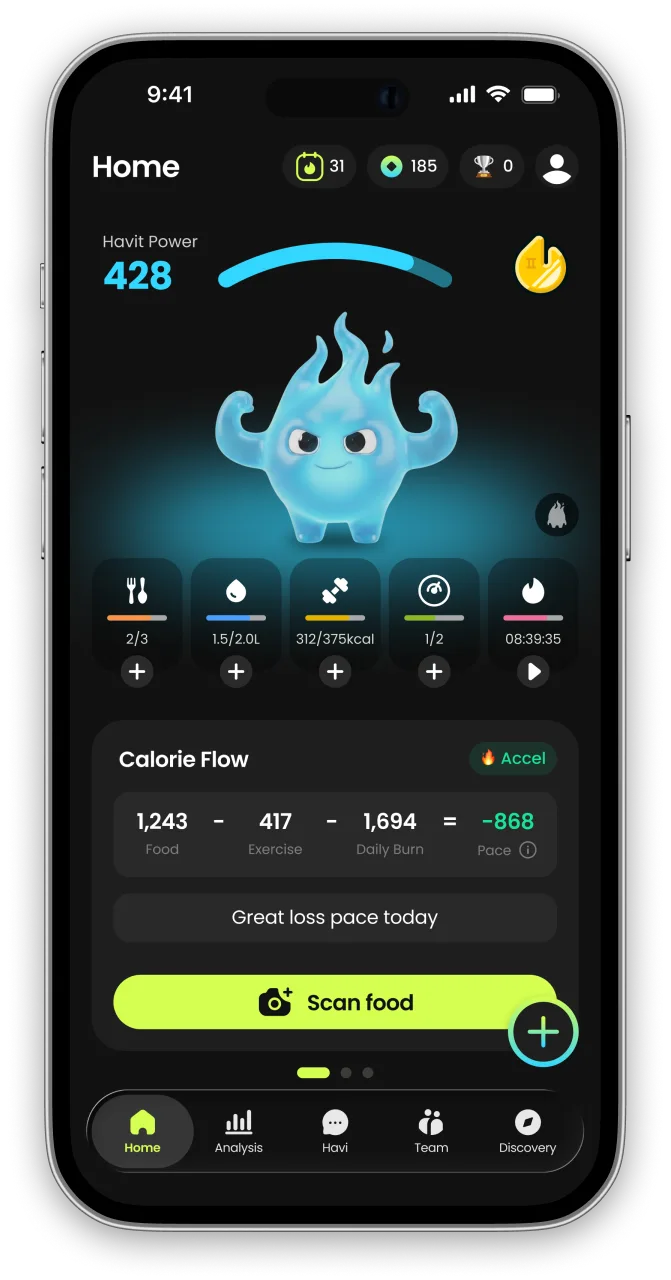
What is HAVIT?
HAVIT is an AI health partner built on metabolic science — it protects your muscle, wakes up your metabolism, and helps you keep a healthy, rebound-free body for the long run.
Unlike calorie-only trackers, HAVIT connects AI body-composition estimates, nutrition, hydration, sleep, steps, cycle, mood, and GLP-1 medication in one daily routine — so progress is measured by body composition, not just the number on the scale. Daily missions turn established behavior-change techniques into small repeatable actions, drawing on expertise from professionals formerly at Juvis Diet, one of Korea’s leading metabolic clinics.
In HAVIT’s own analysis of 1,090 GLP-1 users, people who logged consistently built stronger habits than the general user base. Read the GLP-1 Habit Report
Inside the app
- AI COACHA coach that reads your day.
- NUTRITIONLog meals in seconds.
- BODY INSIGHTSSee more than weight.
- DAILY MISSIONSBuild habits you can repeat.
- DAILY CHECK-INTell HAVI how today feels.
- TRACK EVERYTHINGFrom water to GLP-1
- MIND & RECOVERYFor the days willpower runs out.


HAVIT works with or without GLP-1 medication. It is a wellness app, not a medical device; body-composition results are estimates.

Continue in the App
Personalized wellness with your own data


References
- Digital Addiction — American Economic Review, 2022
- The Welfare Effects of Social Media — American Economic Review, 2020
- Digital Strategies for Screen Time Reduction: A Randomized Field Experiment — Cyberpsychology, Behavior, and Social Networking, 2023
- Is life brighter when your phone is not? The efficacy of a grayscale smartphone intervention addressing digital well-being — Mobile Media & Communication, 2023
- True colors: Grayscale setting reduces screen time in college students — The Social Science Journal, 2020
- Directing smartphone use through the self-nudge app one sec — Proceedings of the National Academy of Sciences, 2023
- No More FOMO: Limiting Social Media Decreases Loneliness and Depression — Journal of Social and Clinical Psychology, 2018
- The effects of social media abstinence on affective well-being and life satisfaction: a systematic review and meta-analysis — Scientific Reports, 2025
- Batching smartphone notifications can improve well-being — Computers in Human Behavior, 2019


